

Configure App
Configure the Cybrid Web SDK demo with your sandbox credentials.
Configuration options
Two ways to provide credentials to the demo app:
- At launch — enter your Client ID, Secret, and Customer GUID each time through the UI (see screenshot below).
- Preconfigured — set credentials in the environment file once.
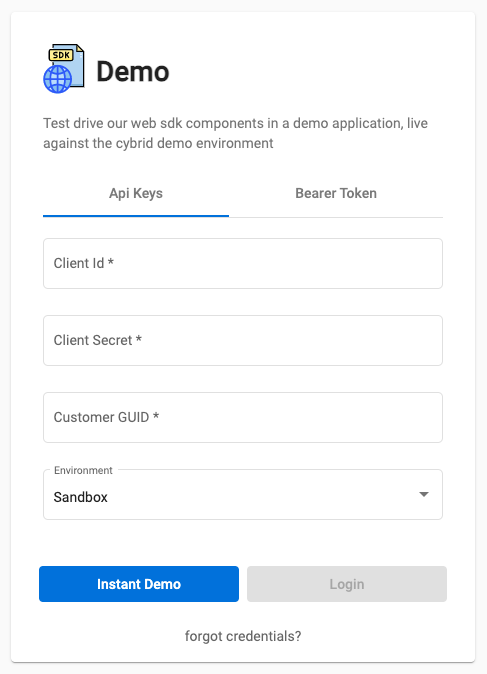
Preconfigure the environment
Gather the following from your sandbox bank:
- Client ID
- Client Secret
- Customer GUID for testing
The demo app authenticates to your Sandbox Bank under the context of a specific customer.
Where to find credentialsRetrieve the Client ID from the Bank page in the Cybrid Partner Portal. Find the Customer GUID on the Customers page. If you lost your Client Secret, generate a new key pair under API Keys in the portal.
Open /src/environments/environment.ts and replace the empty clientId, clientSecret, and customerGuid strings with your values.
Alternative: Use a bearer token
When entering credentials via the UI, you can use a Bearer Token instead of Client ID and Secret. Generate one with:
curl -X POST https://id.demo.cybrid.app/oauth/token \
    -d '{
    "grant_type": "client_credentials",
    "client_id": "",
    "client_secret": "",
    "scope": "banks:read banks:write accounts:read accounts:execute customers:read customers:write customers:execute prices:read quotes:execute trades:execute trades:read"
  }' \
    -H "Content-Type: application/json"
Updated about 2 months ago
Did this page help you?