

Bank Management
How do you manage bank configuration in the Partner Portal?
Add or update CORS allowed origins
To add or update CORS allowed origins in the Partner Portal, follow these steps after logging in:
-
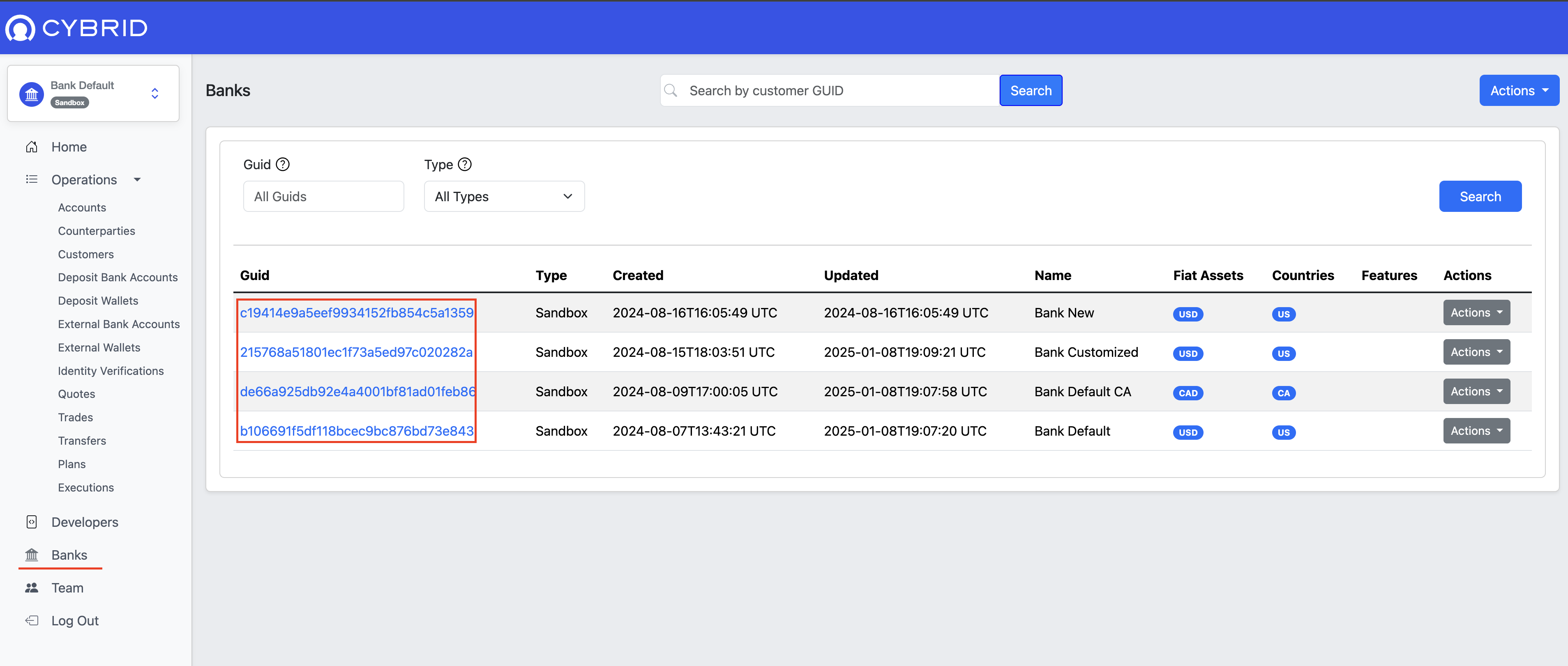
Navigate to the Banks section using the left sidebar, then select the Bank GUID you want to edit.
-
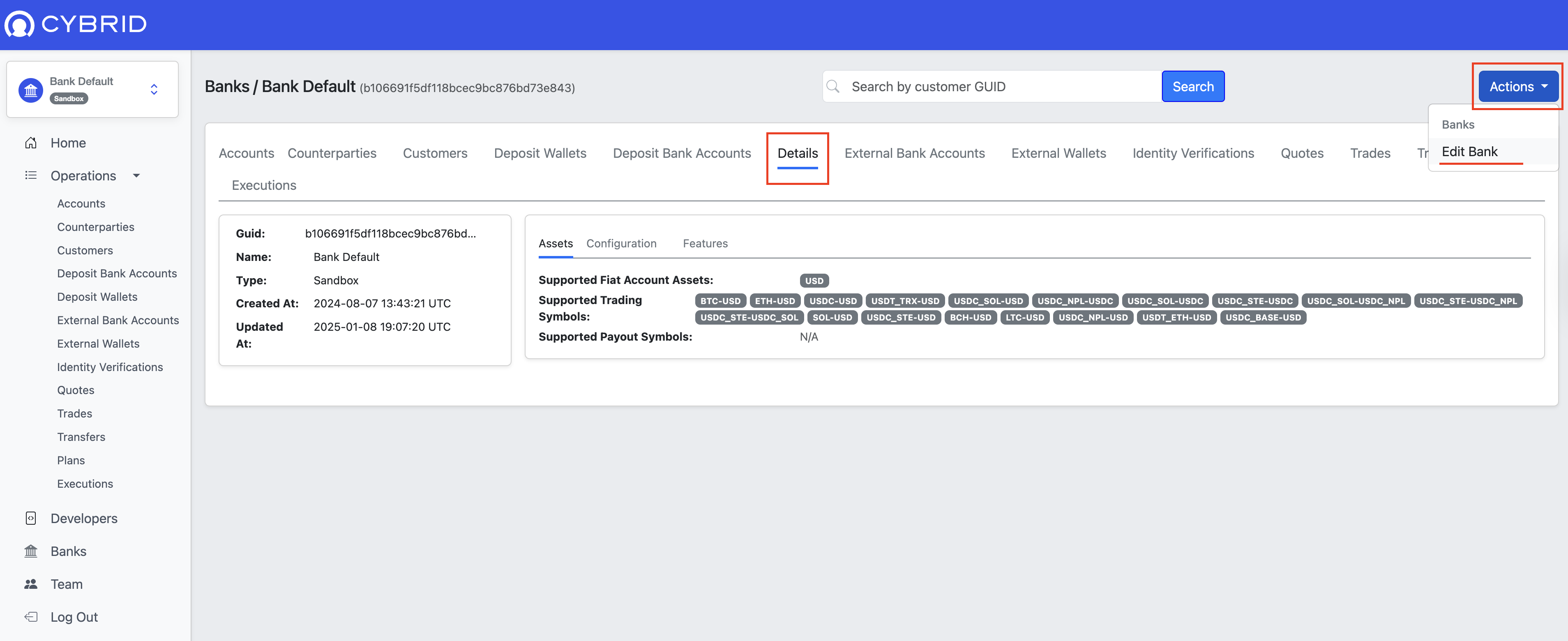
Open the Details tab, click Actions in the top-right corner, and select Edit Bank from the dropdown menu.
-
Scroll to the bottom of the page and click Add CORS Allowed Origin +. Enter the origin URL in
the text box, then click Update.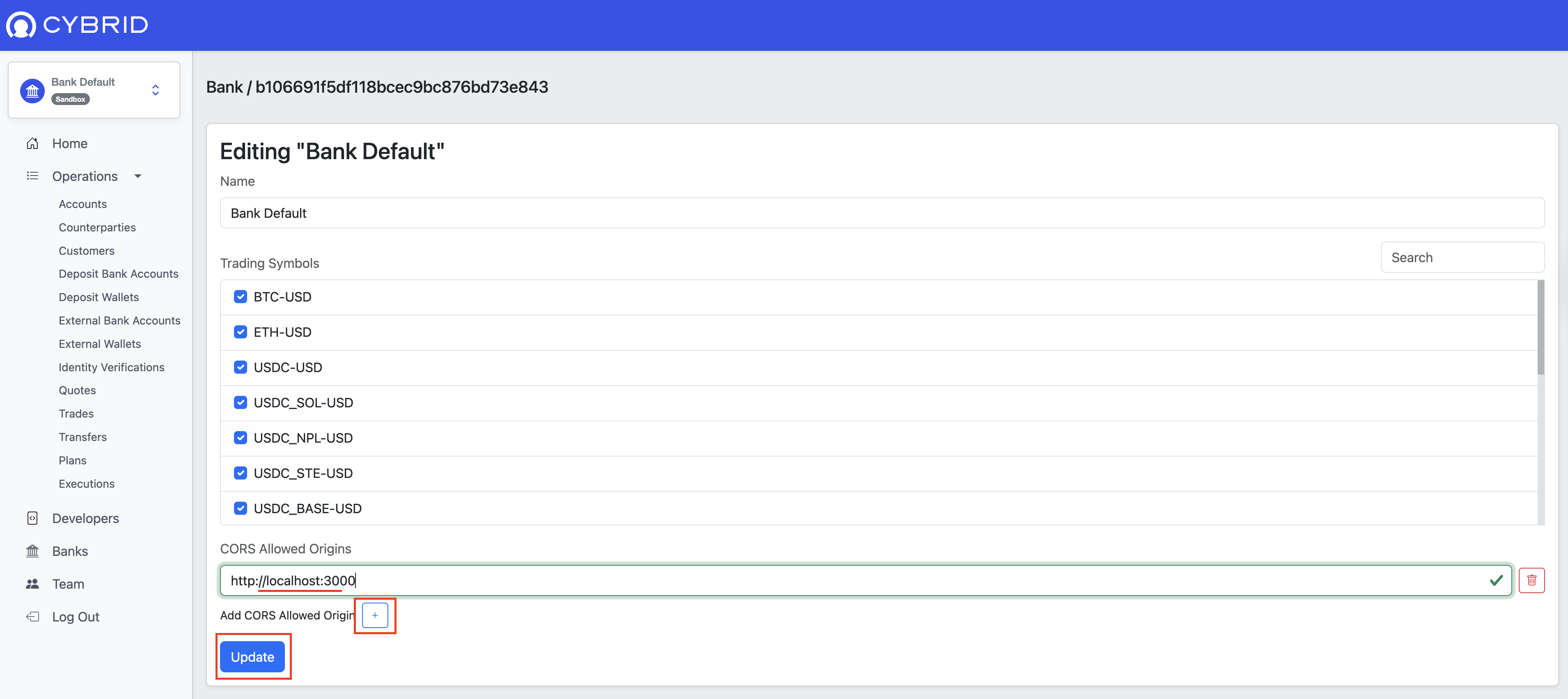
Required roleYou need the Bank Admin permission to update any bank configuration.
Updated about 2 months ago
Did this page help you?