

Interac E-Transfer
How do I deposit or withdraw CAD via Interac E-Transfer?
Deposit and withdraw CAD using the Interac E-Transfer instant rail. This guide covers both flows.
AvailabilityInterac E-Transfer is only available to Canadian banks on the Cybrid Platform and only works with CAD on CAD-based
fiataccounts.
Prerequisites
- A customer already created and verified
- A
CADfiataccount created for the customer - For withdrawals only:
- The customer's identity record populated with an email address or phone number — the e-transfer is routed using this contact information
- A security question and answer that the recipient will be required to answer to claim the funds
Sandbox behaviorIn sandbox, Interac E-Transfer deposits complete automatically and the
gateway_urlreturned is not a valid URL. See Sandbox transfers for full sandbox-specific behavior.
Deposit flow
The deposit process involves four steps:
- Create a
fundingquote - Execute a
transferwithpayment_railset toetransfer - Display the
gateway_urlso the customer can authorize the payment - Wait for the
transferto transition tocompleted
Step 1: Create a funding quote
{
  "product_type": "funding",
  "customer_guid": "customer_guid",
  "asset": "CAD",
  "side": "deposit",
  "deliver_amount": 10000
}
deliver_amountvsreceive_amount
deliver_amountfixes what you send; fees come out of what the recipient gets.receive_amountfixes what the recipient gets; you pay fees on top. See Create and execute a trade for the canonical explanation.
Step 2: Execute the transfer
Create the transfer with transfer_type set to funding and payment_rail set to etransfer. The quote_guid is the guid from Step 1.
{
  "quote_guid": "quote_guid",
  "transfer_type": "funding",
  "payment_rail": "etransfer",
  "source_participants": [
    {"type": "customer", "guid": "customer_guid", "amount": 10000}
  ],
  "destination_participants": [
    {"type": "customer", "guid": "customer_guid", "amount": 10000}
  ]
}
Step 3: Display the gateway URL
Domain allowlistingThe
gateway_urluses the domainetransfer.interac.ca. Allowlist this domain if needed.
Asynchronous processingGenerating the
gateway_urlcan take time in both sandbox and production due to sponsor bank response times. Handle asynchronous calls using webhook registration and polling as a backup.
Wait for the transfer to transition to the pending state. Once pending, read the gateway_url from the identifiers array on the transfer. The identifier has type set to gateway_url and value set to the URL to display to your customer.
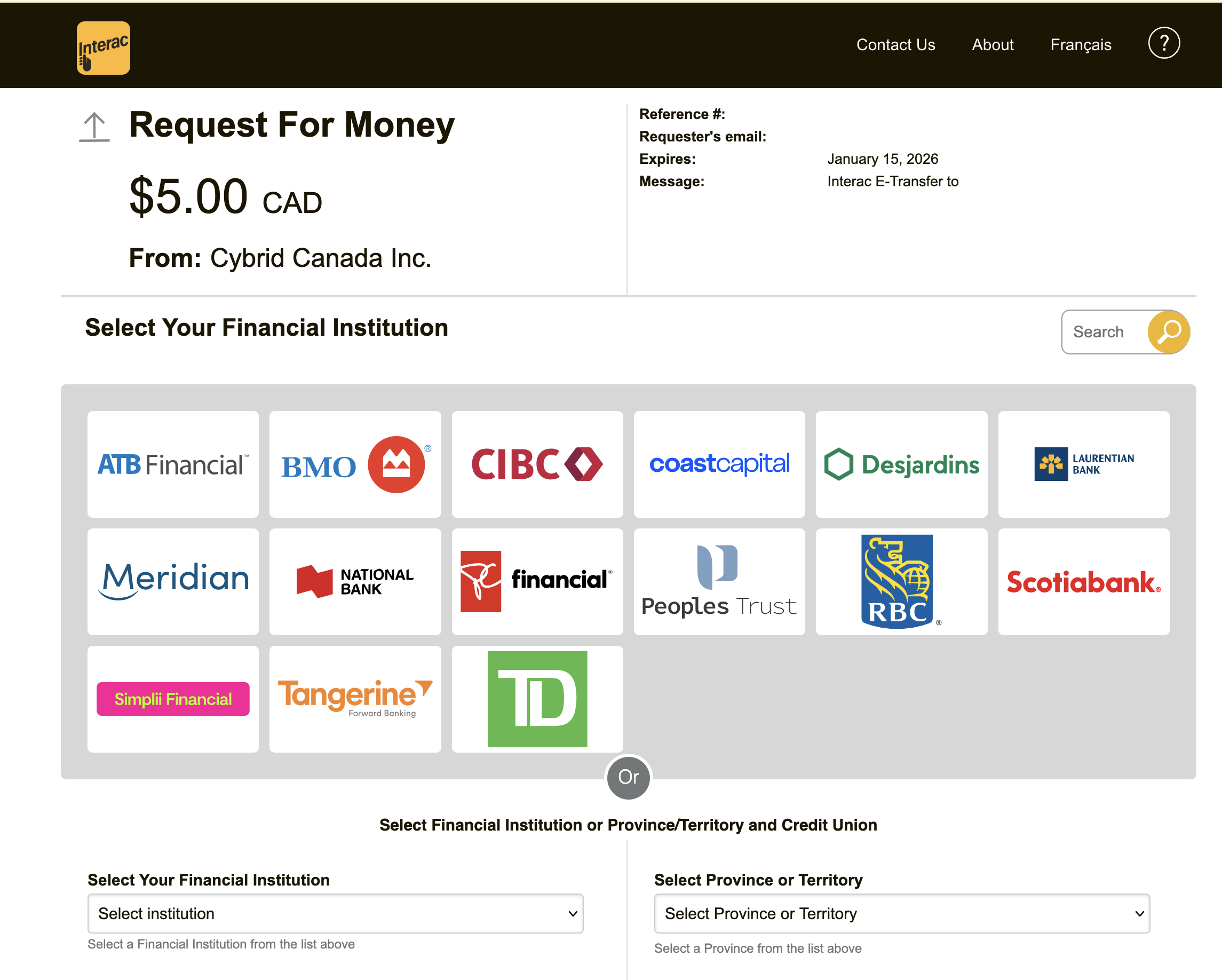
Display the gateway_url through your application, email, SMS, or any other channel. When the customer visits the URL they will be shown a screen to select their bank and authorize the deposit via their bank's website.
Deposit request expiryThe customer must authorize the deposit before the e-transfer request expires. Deposit requests are valid for 1 day.
Step 4: Wait for completion
Poll GET /api/transfers/{transfer_guid} or register for webhooks to monitor state. Once completed, the funds are available on the platform.
Deposit failure modes
E-transfer request URLs expire if the customer does not authorize them. The customer can also reject the request. In both cases, the transfer transitions to failed:
payment_request_expired— the customer did not authorize before the URL expired; deposit requests are valid for 1 daycancelled— the customer rejected the e-transfer request
Withdrawal flow
The withdrawal process involves four steps:
- Create a
fundingquote withpayment_railset toetransfer - Execute a
transferwithpayment_railset toetransferand a security question/answer pair - Wait for the
transferto transition tocompleted - Handle any terminal
failedstates
Auto-Deposit recipients supportedRecipients with Auto-Deposit enabled can receive Interac E-Transfers from the Cybrid Platform. A
security_questionandsecurity_answerare still required on the transfer request even though Auto-Deposit bypasses the question on the recipient side.
Security questions: examples and best practices
Avoid common, publicly guessable facts such as first names, pet names, or city names. Use "shared secret" questions or inside knowledge known only to you and the recipient.
Example questions
- What is the password we agreed upon?
- What item did we discuss yesterday?
- What is the answer to the secret riddle?
- What was the first item we decided to buy together?
- What is the custom code word for this transaction?
- What flavor of treat did we share on our last visit?
- What is the name of the made-up place we talked about?
Best practices
- Use "blind" questions. The question does not need to relate to the answer. The best questions appear random to anyone else.
- Avoid personal data. Do not use easily researched details such as birthdays, anniversaries, or maiden names.
- Keep it simple. Interac answers are typically one word, should not have spaces, and should not include special characters.
- Never reuse combinations. Do not use the same security question and answer for multiple recipients or transactions.
Share the answer safely
- Use an out-of-band method. Share the answer separately from any message you send the recipient about the transfer itself.
- Separate the channels. If you send the transfer notification via email, send the answer via SMS.
- Gold standard. The safest way to share the answer is verbally over a phone call or in person.
Step 1: Create a funding quote
The payment_rail field is required on the quote for e-transfer withdrawals.
{
  "product_type": "funding",
  "customer_guid": "customer_guid",
  "asset": "CAD",
  "side": "withdrawal",
  "payment_rail": "etransfer",
  "deliver_amount": 10000
}
Nodestination_account_guidrequiredUnlike EFT withdrawals, Interac E-Transfer withdrawals do not take a
destination_account_guid. The recipient is resolved at transfer time using the customer's email or phone, not via an external bank account.
Withdrawal network feeInterac E-Transfer withdrawals include a $1.25 CAD network fee in the funding quote. The platform charges this fee on every withdrawal, including withdrawals that do not complete — it is not refunded if the e-transfer expires unclaimed or the recipient declines it.
Step 2: Execute the transfer
Create the transfer with transfer_type set to funding and payment_rail set to etransfer. Both security_question (max 40 characters) and security_answer (max 25 characters) are required for e-transfer withdrawals. The recipient must answer the question correctly to claim the funds. Omit external_bank_account_guid: a withdrawal to the customer's own email or phone resolves the recipient from those details rather than from an external bank account.
Character limits
security_questionaccepts up to 40 characters andsecurity_answeraccepts up to 25 characters. Validate length before submitting the transfer.
{
  "quote_guid": "quote_guid",
  "transfer_type": "funding",
  "payment_rail": "etransfer",
  "security_question": "What city were we in?",
  "security_answer": "Toronto",
  "source_participants": [
    {"type": "customer", "guid": "customer_guid", "amount": 10000}
  ],
  "destination_participants": [
    {"type": "customer", "guid": "customer_guid", "amount": 10000}
  ]
}
Withdrawal claim windowAfter you execute the transfer, the recipient must claim the e-transfer before it expires. Withdrawals are valid for 7 days.
Step 3: Wait for completion
Poll GET /api/transfers/{transfer_guid} or register for webhooks. Once completed, the funds have been sent to the recipient and debited from the customer's fiat account.
Step 4: Handle withdrawal failures
Inspect the failure_code field on the transfer:
customer_contact_info_missing— the customer's identity has no email or phone populated. Add an email or phone to the identity and create a new transfer to retry.payment_request_expired— the recipient did not claim the e-transfer before it expired; the claim window is 7 dayscancelled— the recipient declined the e-transfer
Other failure_code values may apply. See the Cybrid Bank API reference for the full set.
The $1.25 CAD network fee is charged even when a withdrawal fails. The platform does not refund it if the e-transfer expires unclaimed or the recipient declines it.
Updated 11 days ago